

Storing a portable power station safely means keeping it at 50–60% charge, in a cool and dry space between 50°F and 77°F, with good airflow and a routine check every few months. These are not optional precautions. They are the difference between a unit that performs reliably for years and one that fails silently in storage. Whether you own a LiFePO4 unit like the Jackery Explorer 1500 Ultra or a standard lithium-ion model, the same core principles apply. Get the storage conditions right, and you protect both your investment and your safety.
What is the ideal charge level for storing a portable power station safely?
The charge level you leave your unit at during storage is the single biggest factor in long-term battery health. Storing at 50–60% charge preserves battery health best for periods under six months. For storage beyond six months, bump that range up to 60–80%. That slight increase compensates for the natural self-discharge that happens over time.
Storing at 100% charge puts constant stress on lithium cells. The battery stays in a high-voltage state, which accelerates chemical aging. Storing near 0% is equally damaging. A deeply discharged lithium battery can drop below the minimum voltage threshold, making it impossible for the Battery Management System (BMS) to recover it. You may plug it in after months of storage and get nothing.
Here is what to do before putting your unit away:
- Charge or discharge to the target range (50–60% for short storage, 60–80% for long storage)
- Check the display or app to confirm the exact state of charge
- Avoid leaving it plugged in at 100% for days before storage
- Set a calendar reminder to recheck charge every 60–90 days
- Recharge if the level drops below 40%
The Battery Management System monitors cell voltage and temperature continuously, but it cannot override the damage caused by chronic overcharge or deep discharge. Think of the BMS as a safety net, not a substitute for good habits.
Pro Tip: If your power station has a companion app, use it to set a charge limit before storage. Many Jackery models allow you to cap charging at 80%, which removes the guesswork entirely.
Where should you physically store a portable power station?
Physical placement matters as much as charge level. The ideal storage temperature is 50°F to 77°F (10°C–25°C), and every 10°F above 77°F doubles the lithium battery degradation rate. That fact alone rules out most garages, attics, and uninsulated sheds, where summer temperatures can easily exceed 113°F (45°C).
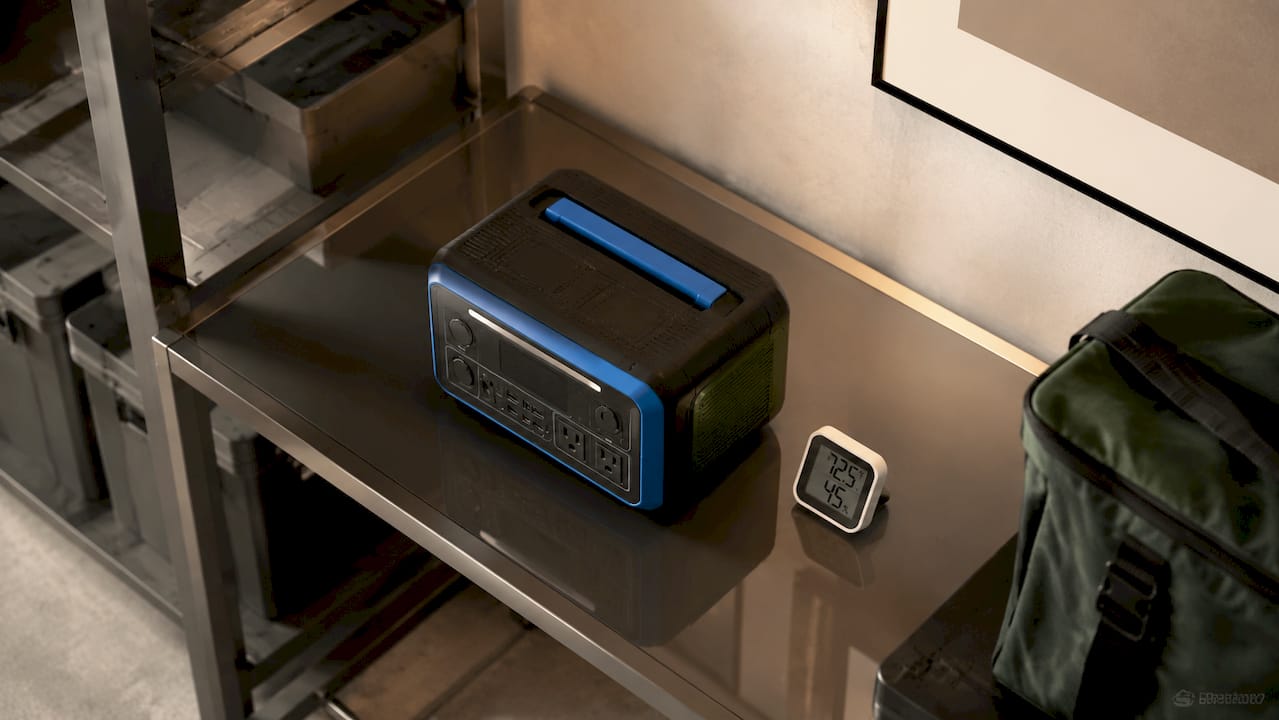
A climate-controlled interior room, a basement with stable humidity, or a dedicated storage closet near the center of your home are all solid choices. Direct sunlight is a hard no. UV exposure heats the casing and degrades plastics over time, even before the internal temperature becomes dangerous.
The surface your unit sits on also matters. Dust buildup blocks ventilation and is a major fire risk. Storing on a solid, hard surface like a wooden shelf or concrete floor allows airflow under and around the unit. Avoid placing it on carpet, foam padding, or soft fabric, which trap heat and restrict the vents.
- Keep at least 4–6 inches of clearance on all sides of the unit
- Never stack items on top of the power station
- Avoid storing near water heaters, furnaces, or any heat source
- Keep away from flammable materials like paper, cardboard, or cleaning supplies
Condensation can damage internal electronics silently, especially in humid climates. Place two or three silica gel packets near the unit to absorb ambient moisture. Replace them every three to four months.
A climate-controlled interior room with a hard surface, silica gel packets nearby, and clear space around all vents is the gold standard for portable power station storage.
Pro Tip: A simple digital thermometer and hygrometer combo, available for under $15, lets you monitor the storage environment without guessing. Aim for humidity below 60%.
What maintenance routines should you follow during storage?
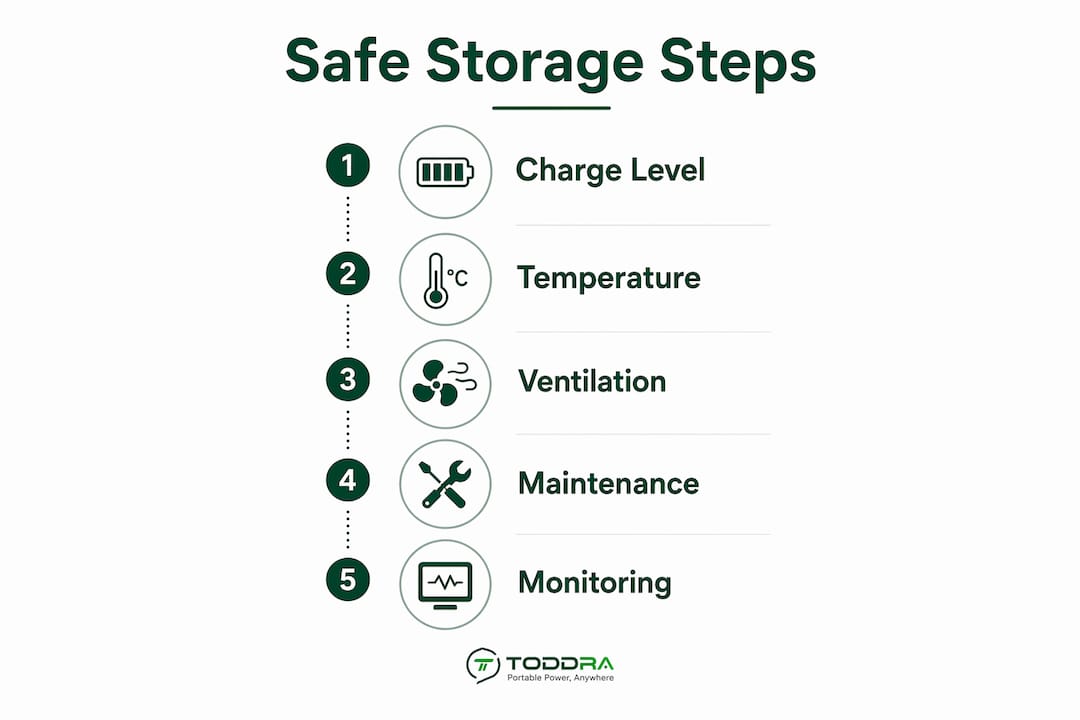
Safe storage is active management, not a one-time setup. Following regular maintenance checks increases battery lifespan by 30–50%. That is a meaningful gain from a few minutes of attention every few months.
Follow this maintenance schedule:
- Every 30 days: Check the charge level on the display or app. Recharge if it has dropped below 40–50%.
- Every 60–90 days: Run a short function test. Power the unit on, connect a small load like a phone charger or a lamp, and run it for 5–30 minutes. This keeps the inverter and ports functional.
- Every 90 days: Clean the ventilation ports with a can of compressed air or a soft brush. Dust accumulation is one of the most overlooked risks in long-term storage.
- Every 90 days: Inspect all cables and accessories stored with the unit. Discard any cord with cracked insulation or bent connectors.
Perform a monthly mini-test and a quarterly load test to keep the inverter and ports functional. Skipping these tests leads to increased malfunction risk after storage, especially if you need the unit in an emergency.
A few additional habits worth building:
- Only store manufacturer-approved or certified cables with the unit
- Avoid pass-through charging, which creates internal heat that accelerates degradation
- If the unit must stay plugged in during standby, use app-controlled charge limits set to around 80%
- Wipe down the exterior with a dry cloth to remove dust before each check
Pro Tip: Create a simple paper checklist and tape it to the storage shelf. Charge level, vent cleaning, function test, cable inspection. Four items, five minutes, done. You will never forget a check again.
What are common storage mistakes and how do you fix them?
Most storage failures come down to a short list of avoidable errors. Recognizing them early saves you from a dead unit when you need power most.
- Storing at full charge or near empty. Both states stress lithium cells. Discharge or charge to the 50–60% range before putting the unit away.
- Ignoring temperature extremes. Heat above 77°F accelerates degradation. Cold below 32°F can cause temporary capacity loss and, in severe cases, permanent cell damage.
- Skipping ventilation. A unit stored in a cramped closet with no airflow builds up heat passively, even without running. This is a fire risk, not just a performance issue.
- Using uncertified chargers. Uncertified third-party chargers can cause BMS failure. Always use the original charger or a certified replacement.
- Neglecting routine checks. Months of inattention allow charge to drop below recovery thresholds and let dust block vents unnoticed.
If your unit will not power on after storage, try these steps in order. First, plug it into the original charger for at least 30 minutes before attempting to power on. Second, check for any error codes on the display. Third, contact the manufacturer’s support line if the unit still does not respond.
If the unit powers on but shows reduced capacity, the battery has likely experienced degradation from improper storage conditions. Capacity loss after a single storage period is a warning sign. Repeated poor storage will compound the damage.
Build an emergency “First Loads” kit: a tested cable, a phone charger, and a small LED light stored physically alongside the power station. When you need power fast, you will not waste time searching for accessories.
For a deeper look at how these units work under the hood, the portable power station guide from Toddra covers the full picture of features and long-term care.
Key takeaways
Storing a portable power station safely requires the right charge level, a stable temperature, clean ventilation, and consistent maintenance checks every 60–90 days.
| Point | Details |
|---|---|
| Charge level for storage | Keep at 50–60% for short storage; use 60–80% for storage beyond six months. |
| Temperature range | Store between 50°F and 77°F; avoid garages, attics, and direct sunlight. |
| Surface and ventilation | Use a hard, solid surface with 4–6 inches of clearance around all vents. |
| Routine maintenance | Check charge monthly, run a function test quarterly, and clean vents every 90 days. |
| Avoid common mistakes | Never store at full charge or empty, and always use certified chargers to protect the BMS. |
Why disciplined storage habits are worth the effort
Safe storage is one of those topics that sounds obvious until you actually see what neglect does to a quality unit. I have watched people pull out a power station after a year in a hot garage, expecting it to work, and find it either dead or running at a fraction of its original capacity. The frustrating part is that none of that damage was inevitable.
The mistake most people make is treating storage as passive. You put the unit away and forget it. But lithium batteries are electrochemical systems. They react to their environment continuously, whether you are using them or not. A unit sitting at 100% charge in a 90°F garage is aging fast, even in complete silence.
What actually works is treating storage like a light maintenance schedule. Set a calendar reminder every 60 days. Spend five minutes checking the charge, running a quick test, and wiping down the vents. That is genuinely all it takes. The units that last a decade are the ones that get this kind of attention.
One thing I feel strongly about: follow the manufacturer’s guidelines on chargers. Using an uncertified third-party charger to save $20 is one of the fastest ways to damage the BMS. Once the BMS fails, the unit is often not worth repairing. Stick with original or certified equipment. It is a small discipline with a large payoff.
For outdoor use and sizing guidance, Toddra’s article on camping power station wattage is worth reading alongside this one.
— Jackson
Toddra’s portable power stations are built for safe, long-term use
If you are looking for a power station you can trust to hold up through years of careful storage and real-world use, Toddra carries a carefully selected range of units built with exactly that in mind.
Toddra’s lineup includes models like the Jackery Explorer 1500 Ultra, which uses LiFePO4 battery technology for superior cycle life, and units with integrated Battery Management Systems and app-controlled charge limits that make safe storage easier to manage. Every product on the Toddra platform is selected for quality, reliability, and long-term performance. Browse the full selection of portable power stations to find the right unit for your home backup, camping, or emergency preparedness needs.
FAQ
What charge level is best for storing a portable power station?
Store your unit at 50–60% charge for periods under six months, or 60–80% for longer storage. Storing at full charge or near empty accelerates battery degradation.
What temperature should a portable power station be stored at?
The ideal storage temperature is 50°F to 77°F (10°C–25°C). Temperatures above 77°F double the lithium battery degradation rate, so avoid garages, attics, and areas with direct sunlight.
How often should I check a power station in storage?
Check the charge level monthly and run a short function test every 60–90 days. Recharge if the level drops below 40%, and clean the vents every 90 days with compressed air.
Can I leave my portable power station plugged in during storage?
Leaving it plugged in at 100% continuously accelerates battery aging. If the unit must stay connected, use app-controlled charge limits set to around 80% to reduce stress on the cells.
What should I do if my power station won’t turn on after storage?
Connect it to the original charger for at least 30 minutes before attempting to power on. If it still does not respond, check for error codes on the display and contact the manufacturer’s support team.